- AI-driven classification
- Customs workflow
- Built for integration
See how Tarifize works
Explore how Tarifize automates and streamlines the customs workflow from input to output.
From document recognition and AI-driven classification to review workflows, custom output files and system integration, Tarifize brings structure, speed and control to complex customs processes.
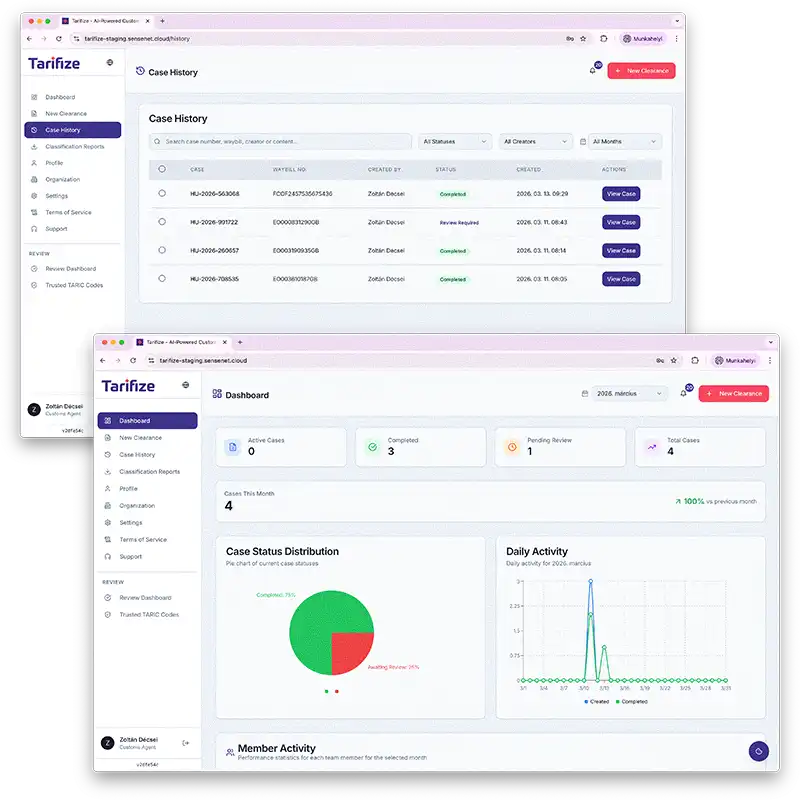
Simply start a new customs case
Tarifize gives your team a clear starting point for every customs process. Users log in securely, create a new case and upload the required commercial and transport documents in one place, while the system immediately begins identifying document types, extracting key data and organizing the case for further processing.
- Secure login
- New case creation
- Document upload
Turn uploaded documents into actionable customs data
As soon as documents are uploaded, Tarifize begins analyzing their content. The system recognizes document types, extracts key information and identifies critical data points such as country of origin, helping teams move from raw paperwork to a structured digital case in seconds.
- Document recognition
- Key data extraction
- Origin identified
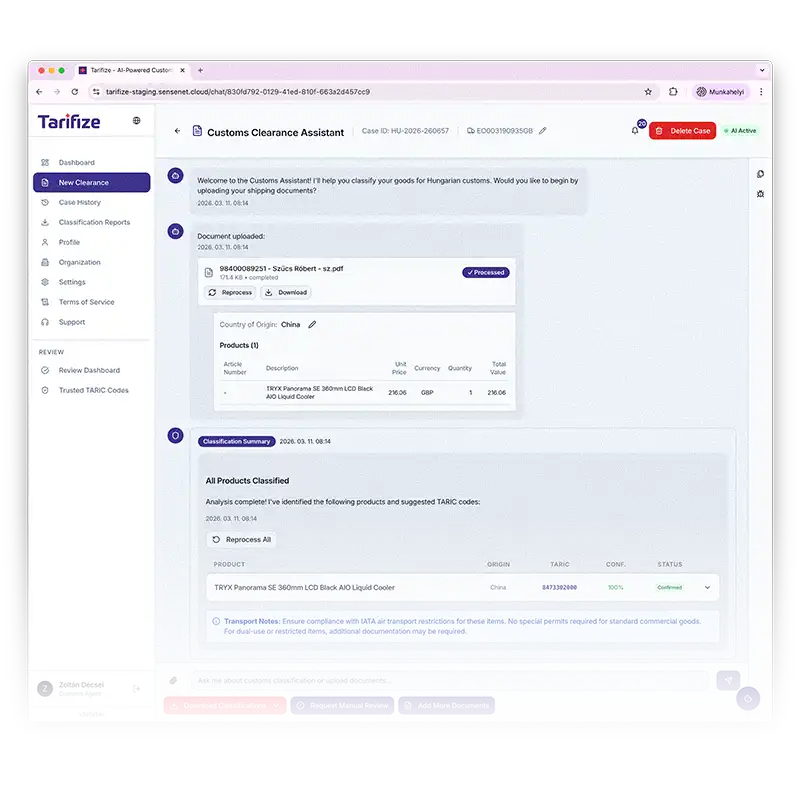
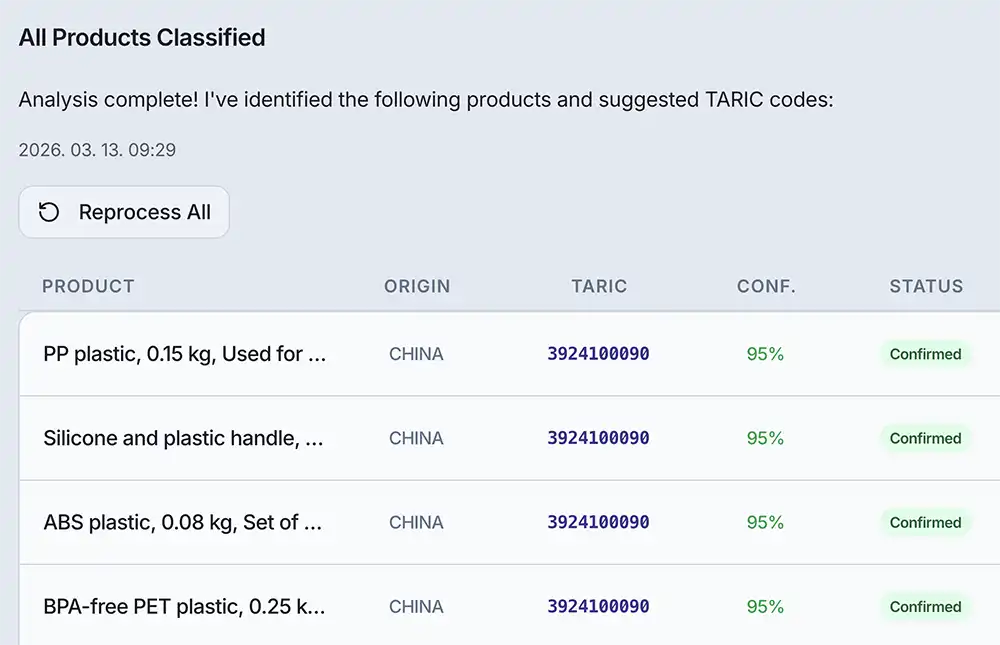
AI-driven classification with transparent TARIC reasoning
Tarifize classifies goods item by item and assigns the most relevant TARIC code based on product characteristics such as material composition and intended use. Each suggested code is supported by clear reasoning linked to official EU customs descriptions, giving users more confidence in every classification decision.
Advanced tools for greater speed and control
Beyond core classification, Tarifize helps teams handle high volumes, surface critical regulatory details and validate decisions with greater confidence.
Bulk classification
Classify large product lists from Excel files and process high volumes of items in a faster, more efficient workflow.

Extended information
View additional product-related details such as regulatory requirements, restrictions and dual-use indicators during classification.

Reliable decision support
Tarifize validates suggested TARIC codes through multiple checks and learning layers to improve consistency and accuracy.
- High-volume ready
- Regulatory visibility
- Multi-layer validation
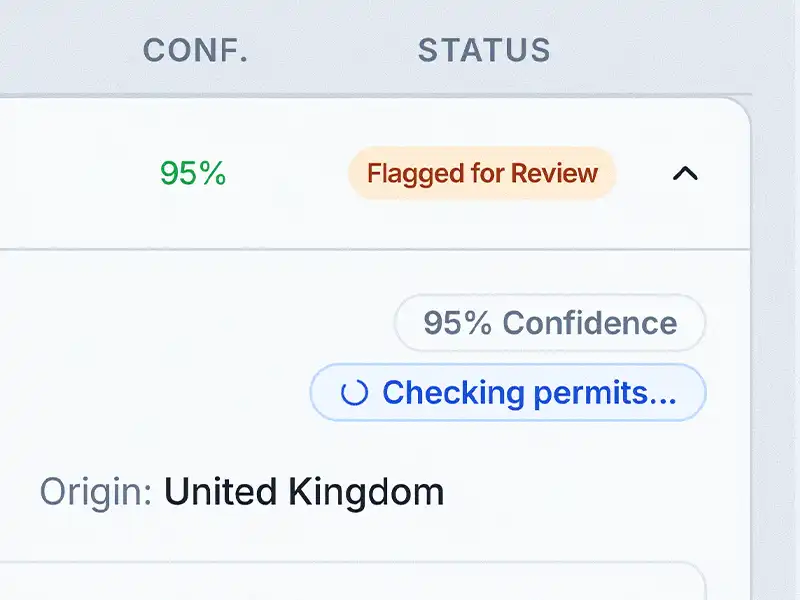
Built-in review for greater control
If a classification requires confirmation, the case can be sent for review within the system. Tarifize forwards it to the appropriate user, helping teams maintain control, validate uncertain decisions and keep the workflow moving.
- Review workflow
- Greater control
- Role-based handling
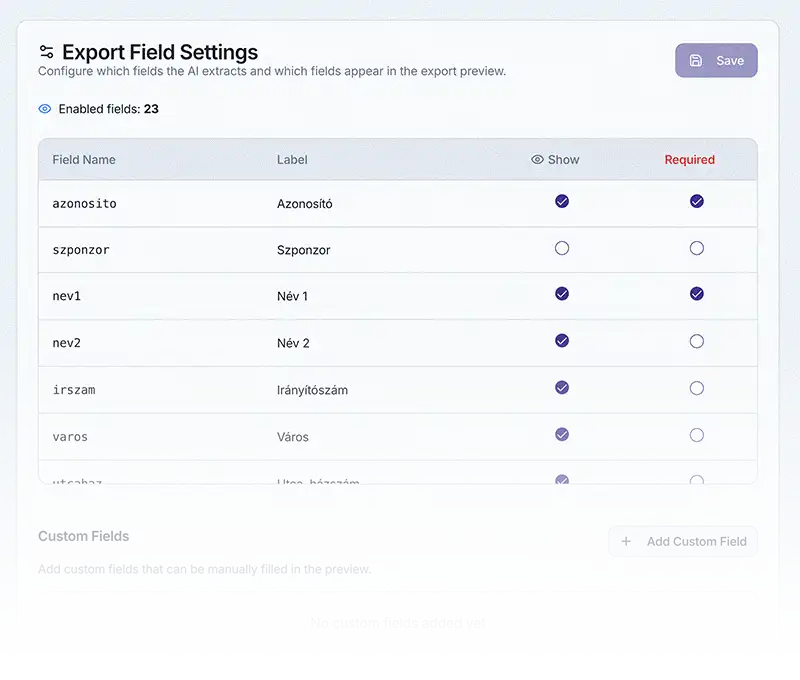
Custom declaration output, generated automatically
Once classification is complete, Tarifize generates the final customs declaration output file automatically, eliminating the need for manual preparation. The system can produce files for different customs interfaces, while allowing users to define, save and select custom templates based on the exact data structure, field order and content needed before download.
- Automatic output generation
- Custom interface templates
- Ready for submission
Integrate customs workflows into your own systems
Tarifize can also connect with existing ERP and CRM environments, allowing customs-related data and processes to become part of the company’s wider digital infrastructure. This supports smoother data flow, better operational continuity and a more connected way of working across teams and systems.
- ERP integration
- CRM connectivity
Data management and reporting tools
Each case is securely stored and linked to unique identifiers (eg. Waybill Number), enabling fast search and easy retrieval. Built-in reporting tools turn case data into practical insights that support both daily operations and better business decisions.
- Unique case IDs
- Built-in search
- Reporting tools
Designed for secure teamwork
Tarifize enables teams to work in the same secure environment with clearly defined roles, controlled access and shared visibility across customs processes. The result is more efficient collaboration with stronger accountability and data security.

User roles
Assign access levels based on responsibilities and workflow needs.
Secure collaboration
Teams can work in the same environment with clear accountability and control.
Shared visibility
Cases, statuses and supporting data remain accessible across the organization.
See how Tarifize fits your workflow
Explore how Tarifize can support your customs operations.